
Context
This week I moved into the pre-production and asset collection stage of my FMP “The Archive.” After completing my research last week, I began gathering all the found footage I will use within the project.
The purpose of this week was to find, convert, and organise all relevant footage so that I am fully prepared for the editing stage. Because my project relies on combining real footage with cinematic storytelling, this step was essential in building the foundation of the final video.
The target audience remains 16–30 year olds who engage with cinematic, story driven sports content.
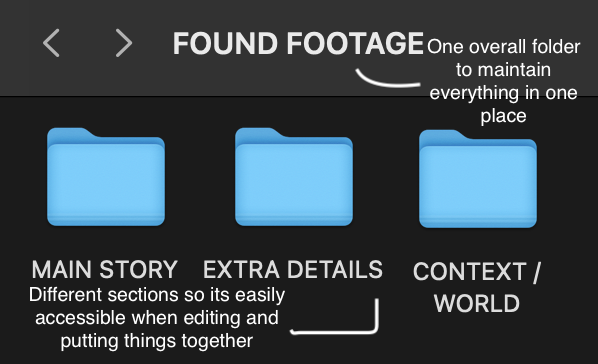
During this week, I collected all my footage, converted it into MP4 format, and organised it into three key folders:
- Main Story (core narrative clips)
- Extra Details (close ups, textures, small moments)
- World (environment, atmosphere, and context shots)
This structure will help me build the film in layers during editing.
Research
Technical
This week’s technical focus was on understanding how to properly prepare and organise media for editing workflows.
I researched the importance of using consistent file formats, such as MP4, which are widely supported and easier to edit in software like Premiere Pro.
I also explored how professional editors organise their files before editing, using folders and categories to improve workflow and efficiency.
Converting all footage into the same format and organising it into clear folders makes the editing process faster and avoids technical issues later.
Story
From a storytelling perspective, this week helped me think about how each clip contributes to the overall narrative.
By separating footage into:
- Main Story
- Details
- World
I am able to build the film in layers, rather than as a simple linear sequence.
The Main Story clips will carry the core narrative, while the Details clips will highlight small moments, and the World clips will create atmosphere and context.
This approach is influenced by how cinematic films and documentaries are structured, where storytelling is built through multiple visual layers rather than just dialogue.
This organisation allows me to shape the audience’s experience more carefully during editing.
Style
Stylistically, organising footage into categories supports the visual style I am aiming for in “The Archive.”
My influences (such as Nike campaigns, NOWNESS films, and short sports documentaries) often use layered storytelling, detail shots and environmental footage
By separating footage into different types, I can recreate this style during editing by mixing close up details with wider shots, controlling pacing more effectively as well as building atmosphere gradually
This helps ensure the final video feels cinematic and intentional, rather than random or unstructured.
Practical Skills
This week focused on organising and preparing all media for editing.
My practical tasks included:
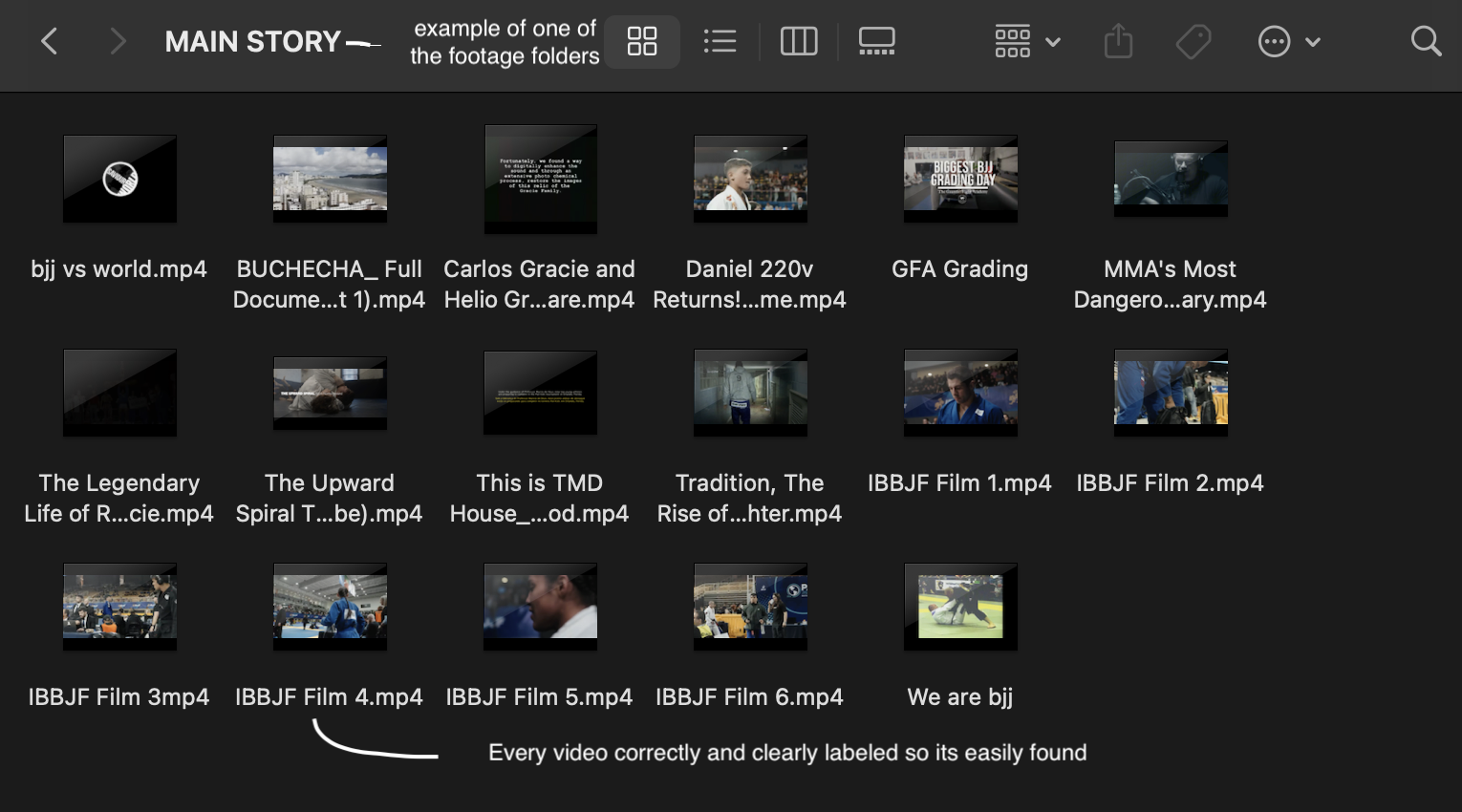
- Searching for and collecting relevant found footage
- Converting all clips into MP4 format for consistency
- Creating a clear folder system:
- Reviewing footage and deciding where each clip belongs
Evaluation and Reflection
What Went Well:
- I successfully collected and organised all my found footage.
- Converting everything to MP4 format will make editing smoother.
- The three-folder system makes it easier to understand the role of each clip.
Even Better If:
- Next time I could label clips more specifically to improve navigation further.
- I could create a rough timeline early to test how clips work together.
- I could begin experimenting with editing sooner to refine my ideas.
Leave a Reply